How Small CPA Firms Replace Fragmented AI Tools With One Unified Workflow
Unified platforms automate entire workflows where fragmented tools only patch individual tasks.
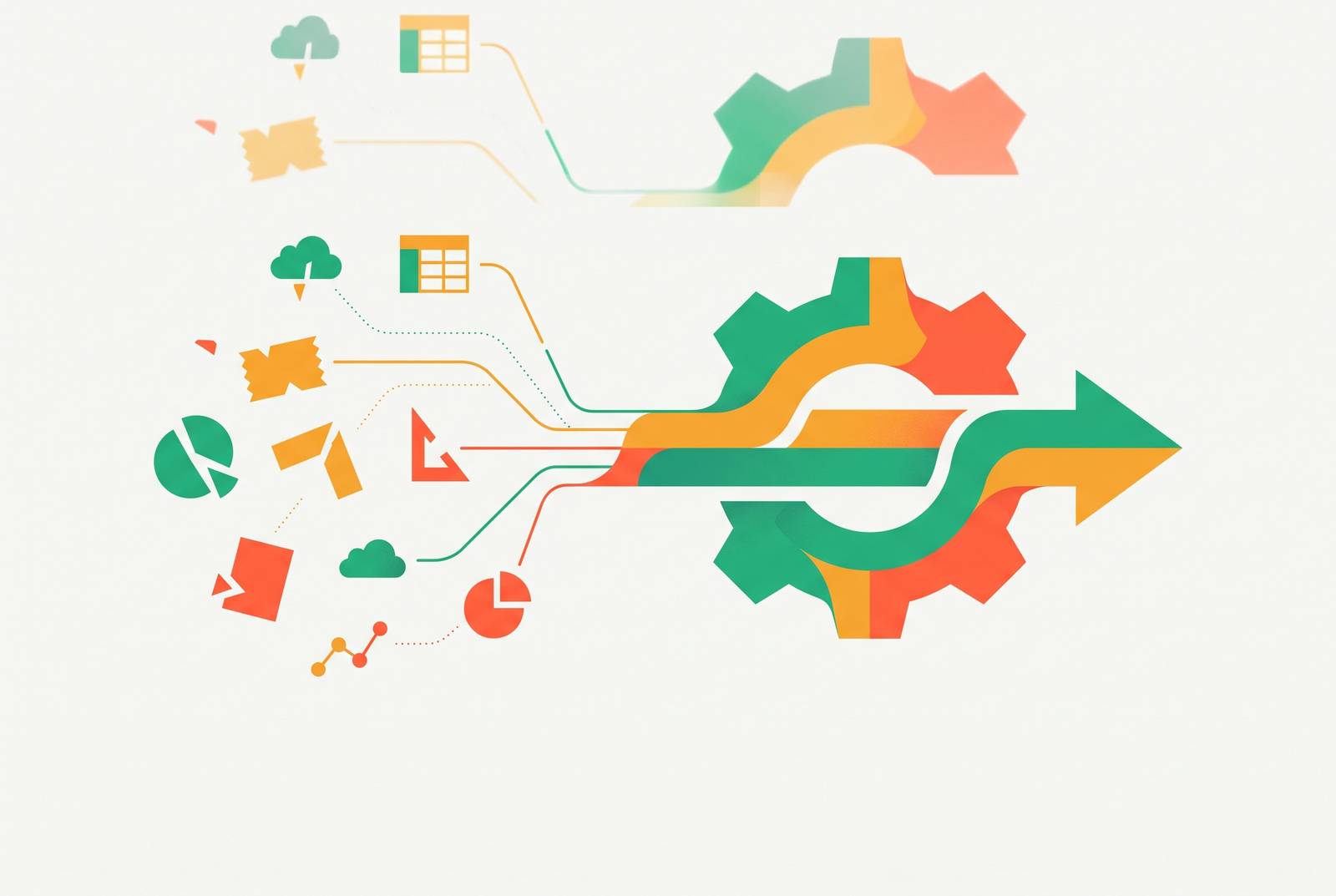
Small CPA firms in 2026 don't suffer from a shortage of tools. Too many tools each solve a thin slice of the work while quietly generating their own overhead. The average small firm has already put several separate AI products into use, usually starting with document extraction and transaction categorization. The entry points are there. They just don't talk to each other.
Each new product arrives with its own inbox, its own dashboard, its own notification stream, its own permission settings, and its own invoice. A firm that adopts multiple tools to solve multiple problems ends up managing multiple small bureaucracies on top of the original work. Layer3 Labs' 2026 CPA guide traces this back to a habit it calls tool-first thinking: firms buy software before they've mapped the workflow the software is supposed to serve. The order matters. Picking the tool first means retrofitting a process around whatever the vendor built, rather than building a process and finding tools that fit it.
That ordering mistake has a predictable downstream cost. Firms end up with weak system integration, data scattered across platforms that don't reconcile with each other, outputs nobody fully trusts, and audit trails with gaps in them. None of this means the AI doesn't work. Individually, most of these tools do what they're built to do. The failure happens between the tools, where one system's output has to become another system's input by hand, and nothing in that gap is automated at all.
Where Fragmentation Costs the Firm
Fragmentation gets expensive in the administrative loops that wrap around the technical accounting work, the ones most firms have patched together out of whatever separate tools happened to be on sale. Caddi's 2026 breakdown of high-ROI use cases names the loops explicitly: source-document intake from the portal and tax mailbox, open-items and PBC chase, return assembly and delivery with 8879 follow-up, e-file reject handling and batch extensions, CAS monthly close, WIP and billing, K-1 tracking, and shared-mailbox triage.
Running each of those loops through a different, disconnected tool leaves the firm with a manual handoff at every seam. A staff accountant copies output from one system into another. A reviewer checks a second dashboard just to find out where a client's file actually stands. None of that is accounting work. It's clerical overhead that AI was supposed to eliminate, reappearing in a new form.
Steve Tonkin, owner of Steve Tonkin & Company, estimated he had spent a significant stretch of hours in a single period dealing with software support issues alone, time that could not be billed or invested in client work. After the firm moved off its legacy systems onto an AI-native platform, CPA Practice Advisor reported roughly 20% time savings almost immediately. The number is suggestive on its own, but the mechanism behind it matters more: these loops are connected. A delay in document intake slows categorization. A slow categorization step delays the close. A delayed close delays delivery to the client. Delayed delivery delays billing. Patch one loop with a standalone tool and the slowdown moves somewhere else in the chain.
Agate CPA and Jansen & Company: The Limits of Piecemeal AI Adoption
Small CPA firms in 2026 are not under-tooled; they are over-tooled in the wrong way, running multiple siloed AI products that each solve a slice of work while creating their own administrative overhead.
At Jansen & Company CPAs, Senior Tax Managing Director Matthew M. Hauger had tried several AI products, including ChatGPT. The issue wasn't a shortage of tools to try. Generic AI tools lacked the authoritative, tax-specific sourcing that professional-grade research demands, so the output read confidently but still required extensive manual verification before anyone could trust it. A tool that sounds right and a tool that is right are not the same tool, and in tax research that distinction is the entire job.
Agate CPA, a six-person firm with offices in Atlanta and Rogers, shows the other side of the ceiling: what partial integration can actually deliver. Client intake responses there flow directly into ClickUp, the firm's practice management system, letting the firm track responses as they arrive through ClickUp's API and automations. The payoff showed up in a roughly 25% rise in conversion rate, driven by the firm spending more time with prospects who were already a good fit. But that win came at a cost most firms can't easily absorb. Agate had to build its own custom integration between a client-facing form and a project management platform, something most small firms cannot replicate without technical help.
Partial automation buys partial relief, and the gaps between tools remain manual work that the firm still owns. Jansen hit the wall at the tool's quality ceiling. Agate hit it at the integration ceiling. Both are the same wall, approached from different directions.
Unified Workflow in a CPA Firm Context
A unified workflow is one connected sequence of steps built around the firm's highest-volume bottleneck, where the output of each step feeds directly into the next without a human having to carry data from one system to another by hand.
Layer3 Labs' guide frames the minimum viable architecture for a small accounting firm: a secure general assistant, a document-intake workflow, and automations built around the practice management system. The sequence matters as much as the components. The workflow gets mapped first, and the tools get chosen to fit it, not the other way around.
Judged this way, the question a firm should ask about any product shifts. What matters is whether the tool connects to what's already there, not how clever the tool's AI feature is in isolation. A practice management tool with only decent AI that links cleanly to tax software, a document portal, and email will save more staff time than a far more impressive AI tool that still requires someone to move data between systems by hand.
Thomson Reuters' 2026 analysis comparing unified platforms against point solutions backs this up with a structural argument: a unified platform can automate across an entire workflow rather than optimizing one task in isolation, and it accumulates a firm's preferences, standard language, and decision patterns over time, so it gets more useful the longer it's in place. Firms that move from a fragmented toolkit to a unified platform typically report a significant drop in research time and a large cut in manual handoffs, plus a single audit trail that makes compliance reporting simpler.
Randy Johnston's 2026 analysis for TXCPA describes where agentic AI in accounting currently stands: systems that collect documents automatically, extract the relevant data, check it for completeness, flag exceptions, and hand back a review-ready work product. That shifts the CPA's actual job toward judgment and client communication, away from manual assembly. Johnston frames this as a three-level progression, from a general AI assistant, to an AI-enabled tech stack, to a full agentic workflow layer, with each level feeding the next. That's also a fair description of what building a unified workflow looks like in practice: value compounds as the levels connect, rather than appearing all at once.
The three workflows worth unifying first: document intake, categorization, and client delivery
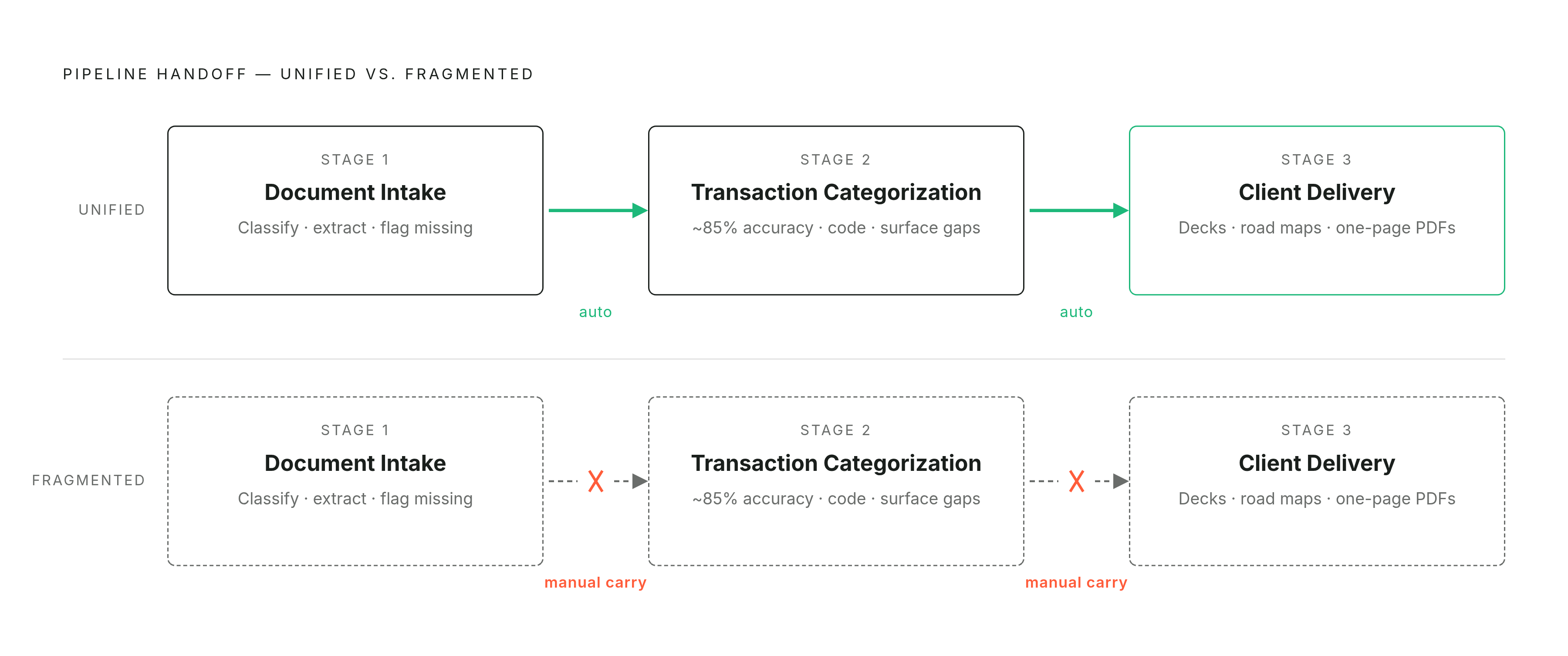
Most small CPA firms get the most out of unifying the same three sequences, because these are where fragmentation does the most damage and where connecting the steps pays off the most. The three are stages in one pipeline, and each one only reaches its full value once it's feeding the next stage directly.
Document intake comes first. AI can classify incoming uploads, extract the relevant fields, match them against the prior year's return, and flag anything missing. Layer3 Labs points to organizer processing as the biggest tax-season win available to a small firm: pulling data from uploaded documents, matching it to prior-year line items, flagging discrepancies, and generating a checklist for the reviewer, with missing-document follow-up as a close second, where AI checks the organizer against that checklist, spots the gaps, and drafts the client email listing what's still outstanding. Done well, intake becomes a clean handoff instead of a bottleneck.
That handoff matters because the next stage, transaction categorization, depends on it. Bank-feed categorization with anomaly flagging is one of the clearest wins available to AI in this work, precisely because the inputs are structured and a reviewer already knows what a correct answer looks like. A bank feed with hundreds of line items to sort is a far better fit for AI than a judgment-heavy question like multi-state nexus. ACCWire's 2026 review of accounting AI confirms categorization and reconciliation as mature, already-deployed use cases, with AI hitting roughly 85% accuracy categorizing transactions on first import without any manual correction. The AI suggests matches, codes the transactions, and surfaces unexplained balances; the accountant approves the entries and chases down the exceptions. Tools including MakersHub.ai, Vic.ai, Botkeeper, and Dext are already in active use across CAS practices for exactly this, automating routine reconciliation, flagging exceptions, and producing live dashboards in place of a static monthly report.
Brian Davis of One Stop CPA, a Fort Lauderdale firm with four accountants and three non-accountants, built a library of templates and saved prompts around repeatable client-delivery workflows, structured prompts that produce client-facing deliverables including slide presentations, road map summaries, infographics, meeting recap documents, and one-page PDF overviews. That step works best when it isn't reassembling information from scratch. When intake and categorization have already produced structured, review-ready outputs, delivery can draw on that material directly instead of rebuilding it from raw documents and spreadsheets.
The review gate that keeps a unified workflow compliant and trustworthy
Compliance risk in a unified AI workflow is manageable, and the firms managing it well treat human review as a built-in step rather than a thing bolted on after the fact. The sharpest version of the objection is straightforward: firms that start treating AI as a substitute for staff, rather than a tool staff uses, are the ones seeing review errors and compliance exposure climb. The risk concentrates at the review bottleneck.
AICPA professional standards require a CPA to exercise due professional care and keep responsibility for the work product no matter what tools produced the draft. Layer3 Labs' guide treats it as a design constraint that has to be built into the workflow from the start.
The practical fix is a checklist gate sitting between AI output and anything that leaves the building. Every AI-drafted document gets a reviewer's name, a review date, and a sign-off before it reaches the client, and that gate is part of the workflow itself rather than an extra manual step stacked on top of it. Layer3 Labs flags a particularly sneaky version of the risk: AI-generated tax memo language that reads with total confidence while citing the wrong code section. Confident writing is persuasive writing, which makes the error harder to catch, so reviewers need to be trained to check the substance of a claim and not just whether the sentence reads cleanly.
Cheryl Hannafin, sole proprietor of Public Trust CPA LLC in St. Petersburg, Florida, describes her own approach as using AI to build the plumbing behind the scenes rather than letting it touch client data directly. That keeps professional judgment squarely in human hands while still getting the efficiency gains out of automation. Johnston's 2026 analysis makes the same point from the audit side: AI output should be treated as an input to the firm's quality control process. Audit tools like DataSnipper, Trullion, TABS, and Auditor Intelligence are already used this way, with AI producing the evidence and the CPA evaluating it.
A unified workflow with a designed review gate is more auditable than a fragmented one. One system produces one audit trail. Scattered tools make it genuinely hard to reconstruct who reviewed what, and when.
The deployment path for a five-to-twenty-person firm
For a small CPA firm, getting to a working unified workflow is a weeks-long build, and the firms that succeed start with one bottleneck rather than trying to rebuild everything at once. The instinct to fix document intake, categorization, and delivery simultaneously is understandable and almost always wrong.
The better sequence mirrors the one the earlier sections laid out: pick the single loop costing the most administrative time right now, almost always document intake or transaction categorization, and build the connection between that step and whatever comes next. Prove the handoff works, put the review gate in place around it, and only then move to the next link in the chain. A firm that connects intake to categorization first will find that delivery gets easier almost as a side effect, because the information arriving at the delivery stage is already structured instead of scattered across files.
It requires picking a practice management system and a document workflow that are willing to talk to each other, and then having the discipline to hold off on a new tool until the current sequence is actually working end to end. The firms struggling with AI in 2026 are generally the ones that adopted too much, too fast, with no sequence connecting any of it.
Sources
- AI in Accounting 2026: From Practical Automation to Strategic Advantage
- Real-life ways small firms use AI
- How AI-Powered Automation is Helping One Small Firm Reduce Administrative Drag and Scale Smarter - CPA Practice Advisor
- AI for CPAs: Practical Accounting Use Cases (2026)
- Accounting Firms Using AI in 2026: Tools and Examples - ACCWire.com